7 Woodpecker Alternatives & Competitors for B2B Lead Generation (2026)

If you’ve been using Woodpecker for your cold email campaigns, you already know the basics work fine.
There are so many tools available for cold email outreach today, making it easier to find a better fit for your specific needs.
But when you start sending more emails or when you need more features, Woodpecker quickly shows its limits. Here are a few reasons why users look for alternatives:
- Emails don’t always land in the inbox.
- It’s only built for email, no LinkedIn or multichannel outreach.
- Scaling costs rise fast when you add more mailboxes or team members.

And when you look at the pricing (from $29/month to over $9,000/month for higher plans), it’s easy to see why people are switching to simpler, more reliable tools.
So in this article, I’ll walk you through 5 of the best Woodpecker alternatives that actually help you:
- Land in the inbox (not spam)
- Personalize outreach at scale
- Get real support when things go wrong
We’ll also compare similar tools to Woodpecker, so you can see how each option stacks up.
Let’s break them down one by one.
What to Look for in a Woodpecker Alternative For B2B Outreach?
Here’s what really matters when picking an outreach tool like Woodpecker for multi-channel outreach , based on what users struggle with the most.
Quick Checklist to find right multi-channel outreach tool
- ✅ Inbox Health Tools: Does it show your domain reputation, spam score, or inbox placement status before sending? Also, does it help monitor and improve sender reputation and offer built-in email warm up to boost deliverability?
- ✅ Warm-Up Control: Can you connect and manage multiple inboxes, control warm-up speed, and monitor progress?
- ✅ Channel Setup: Does it let you create one campaign combining email, LinkedIn, and call steps — not separate tools?
- ✅ Personalization Workflow: Can you preview personalized emails or LinkedIn messages before sending?
- ✅ Deliverability Settings: Does it give you access to SPF, DKIM, and DMARC setup inside the platform? Does it include automation features to help avoid spam folders and improve inbox placement?
- ✅ CRM Sync Validation: Can you test syncing with HubSpot or Salesforce and see contacts updating in real time?
- ✅ Pricing Transparency: Can you see total cost upfront (no per-inbox or add-on surprises)?
- ✅ Reporting Dashboard: Does it show live campaign stats (delivered, opened, replied) and help you identify leads worth following up? Does it provide detailed analytics to optimize your outreach strategies?
- ✅ Reply Sorting: Does it automatically categorize replies (interested, out of office, not interested)?
- ✅ Standout Features: Does the tool offer standout features that set it apart from competitors and add unique value to your outreach process?
- ✅ Advanced Features: Are advanced features like conditional logic, workflow automation, and custom workflows available for building complex outreach sequences or automating legal document creation?
- ✅ Pipeline Management: Does it include pipeline management to help sales teams organize, track, and optimize the sales process?
7 Best Woodpecker Alternatives (2026 Comparison)
*Email only = native focus on email sending; pair with other tools for voice/SMS/LinkedIn/phone calls when needed.
Footnotes:
- Unlimited Email Accounts: Saleshandy, Instantly, Smartlead, and Inframail allow unlimited email accounts/inboxes, which is a key advantage for agencies, high volume outreach, and growing sales teams. Woodpecker charges per inbox.
- Advanced Features Upfront: Saleshandy provides advanced features (AI-powered tools, personalization, deliverability suite) on all plans, making it more cost-effective for agencies managing multiple clients and lead generation agencies.
- Multichannel Features: Lemlist, Mailshake, Reply.io, and Smartlead support multichannel outreach (email, LinkedIn, phone calls, SMS, WhatsApp), suitable for large organizations and growing sales teams.
- AI Powered Tools/Features: Saleshandy, Reply.io, Apollo.io, and Smartlead offer AI-powered features for lead generation, deliverability, and automation.
- Deliverability: Saleshandy, Lemlist, Smartlead, Instantly, Mailshake, and QuickMail all include tools to help messages land in inboxes and avoid spam folders.
- Gmail Inbox Integration: Gmass and Yesware integrate directly with Gmail inbox for seamless campaign management.
- Pricing: Some tools (e.g., Gmass Standard plan) are billed annually; free plan availability and feature limitations vary.
- Lead Generation: Apollo.io, Snov.io, Reply.io, and Hunter.io offer extensive databases, job title enrichment, and phone numbers for finding quality leads and more leads.
- Other Platforms: Consider feature equivalence, extra tools, and new features when choosing an alternative to Woodpecker.
#1. Salesforge: Best Woodpecker Alternative for Multi-channel Outreach
Salesforge is a strong Woodpecker alternative and a great alternative for high volume outreach, making it the best overall alternative to Woodpecker for scalable, AI-powered multi-channel outreach.
It's especially ideal for growing sales teams and lead generation agencies looking for advanced features and scalability. Salesforge supports unlimited email accounts, which is perfect for agencies managing multiple clients and teams that need to scale outreach without extra costs.

Instead of adding more tools to fix Woodpecker’s weaknesses, Salesforge gives you everything in one place:
✔ cold outreach
✔ LinkedIn automation
✔ domain protection
✔ warm-up
✔ AI SDR
✔ unified inbox
✔ reporting
And it does all of this without per-seat pricing.
You can add your entire team, run unlimited mailboxes, and scale multi-channel outreach safely under one flat plan
What Makes Salesforge Different?
Here’s what sets it apart from Woodpecker and most outreach tools: Salesforge’s standout features and advanced features provide greater flexibility and scalability, making it a top choice among Woodpecker alternatives.
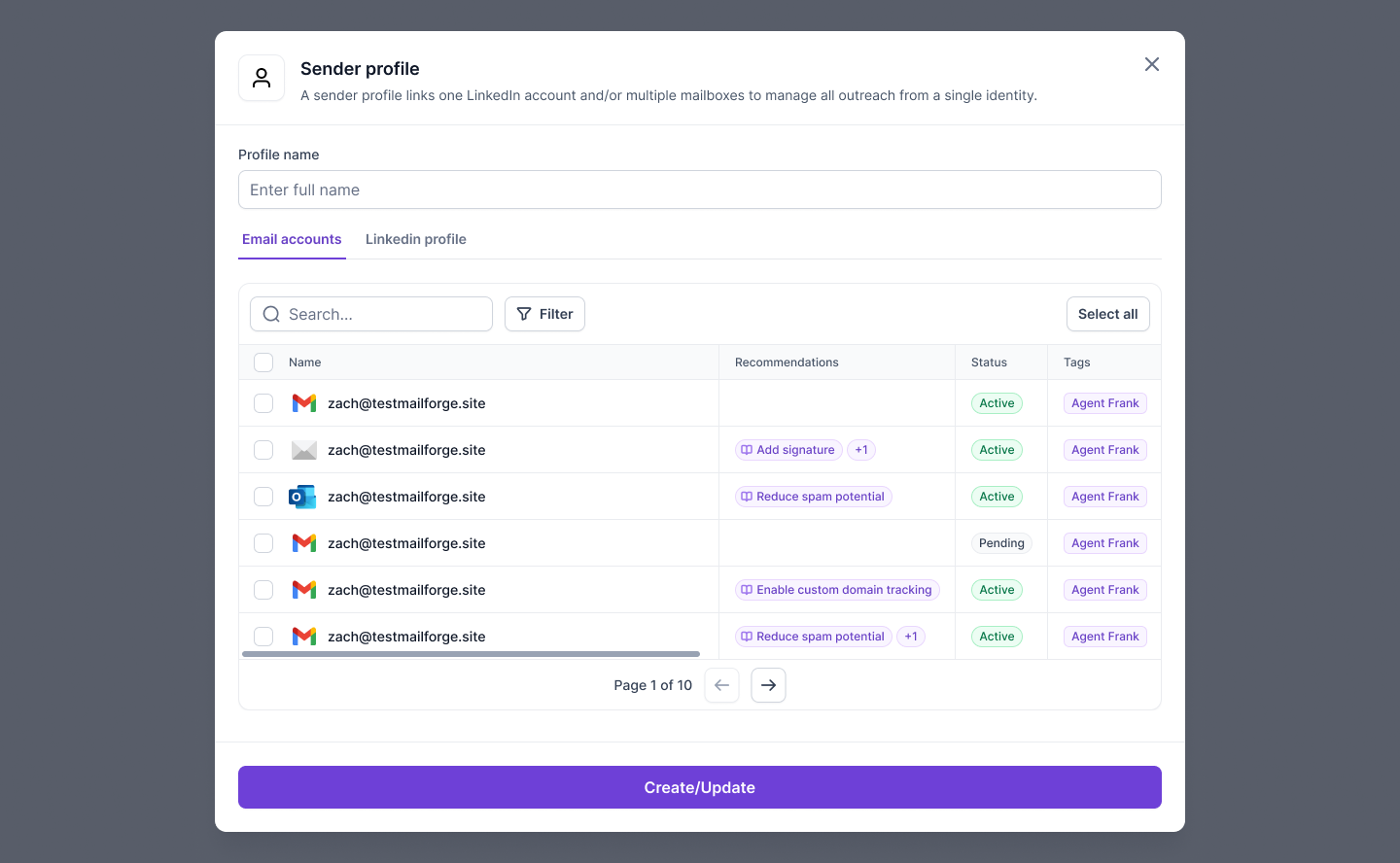
1. Unlimited Mailboxes & LinkedIn Senders
Salesforge doesn’t charge per seat.
You can add unlimited mailboxes and LinkedIn accounts at no extra cost, perfect for agencies, founders, or global teams. Unlimited email accounts and support for multiple users make Salesforge scalable for teams of any size.
2. Free, Unlimited Warm-Up Built-In
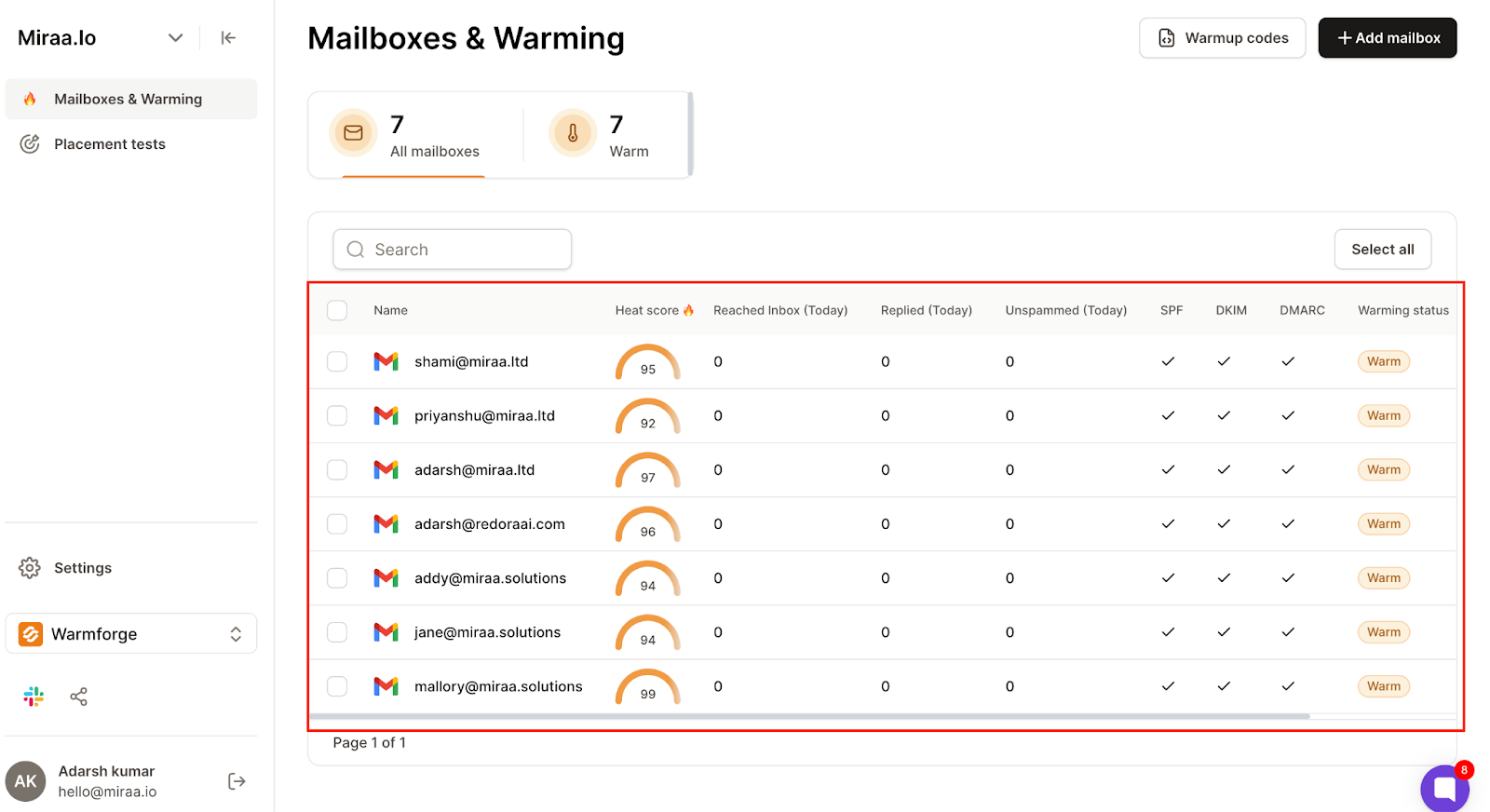
Warmforge is fully integrated inside Salesforge.
You get automatic warm-up, domain health monitoring, ramping, rotation, and recovery for free, no extra tool needed. The built-in email warm up helps maintain your sender reputation and improves deliverability, ensuring your emails reach the inbox.
3. Multi-Channel Outreach (Email + LinkedIn)
Run blended email + LinkedIn sequences in one place without switching tools. Salesforge offers advanced multichannel outreach capabilities, providing multichannel features that enable users to run multi channel campaigns seamlessly across both email and LinkedIn.

4. Primebox™ Unified Inbox
All replies from email and LinkedIn go into one unified inbox, even if prospects reply from a secondary address.

5. AI SDR (Agent Frank)
Agent Frank works like a 24/7 sales assistant:
- finds leads
- writes emails
- follows up
- handles replies
- books meetings
- runs multi-language outreach
Agent Frank leverages AI-powered tools and AI-powered features to automate outreach and follow-up processes, offering advanced automation features that streamline sales workflows and boost team productivity.
Perfect for teams scaling outbound without hiring more reps.
6. Strong Deliverability Tools
Salesforge connects with Infraforge & Mailforge to manage core deliverability:
- SPF/DKIM/DMARC checks
- smart rotation
- Heat Score
- domain reputation monitoring
- sending speed controls
- unlimited warm-up
These deliverability tools help ensure your messages land in the inbox and avoid spam folders.
These prevent the classic Woodpecker problems: failed sends, spam placement, and domain exhaustion.
Real Results from Users
- Reached 214,000+ prospects using multi-mailbox rotation
- Achieved 16%+ positive reply rates on scaled campaigns
- Agencies consistently report 97–100% inbox placement
- Many users replaced 3–5 tools with Salesforge due to the integrated stack
- Users report generating more leads and accessing an extensive database of quality leads with Salesforge
Salesforge Pricing

Salesforge offers two main plans + an optional AI SDR. There is no free plan or free trial available for new users. Pricing is billed annually, and there is no standard plan; both available plans are advanced tiers.
Pro Plan – $40/month
For solo founders & small teams testing the platform.
Includes unlimited mailboxes, warm-up, sequences, and Primebox™.
Growth Plan – $80/month
For scaling teams & agencies.
Includes unlimited users, API access, LinkedIn sending, and advanced personalization.
Agent Frank – $416/month
Optional AI SDR that handles prospecting + outreach automatically.
All plans include:
✔ unlimited warm-up
✔ unlimited mailboxes
✔ analytics
✔ Primebox™ unified inbox
Why Is Salesforge a Better Choice Than Woodpecker?
Summary
If you’re looking for a strong Woodpecker alternative that actually solves deliverability, scale, rotation, and reporting, Salesforge is your best option.
As a great alternative to Woodpecker, Salesforge offers advanced features and scalability for users who need more from their outreach platform. It stands out as an effective alternative to Woodpecker for sales and marketing teams seeking robust automation and integration capabilities.
You get:
- deliverability-first infrastructure
- unlimited mailboxes
- unlimited warm-up
- unified reporting
- multi-channel outreach
- AI SDR capabilities
- and real human support
All-in-one integrated stack.
If you want to send more, land more, and scale without burning domains, choose Salesforge.
#2. Instantly - Best Woodpecker Alternative for Simple Scale
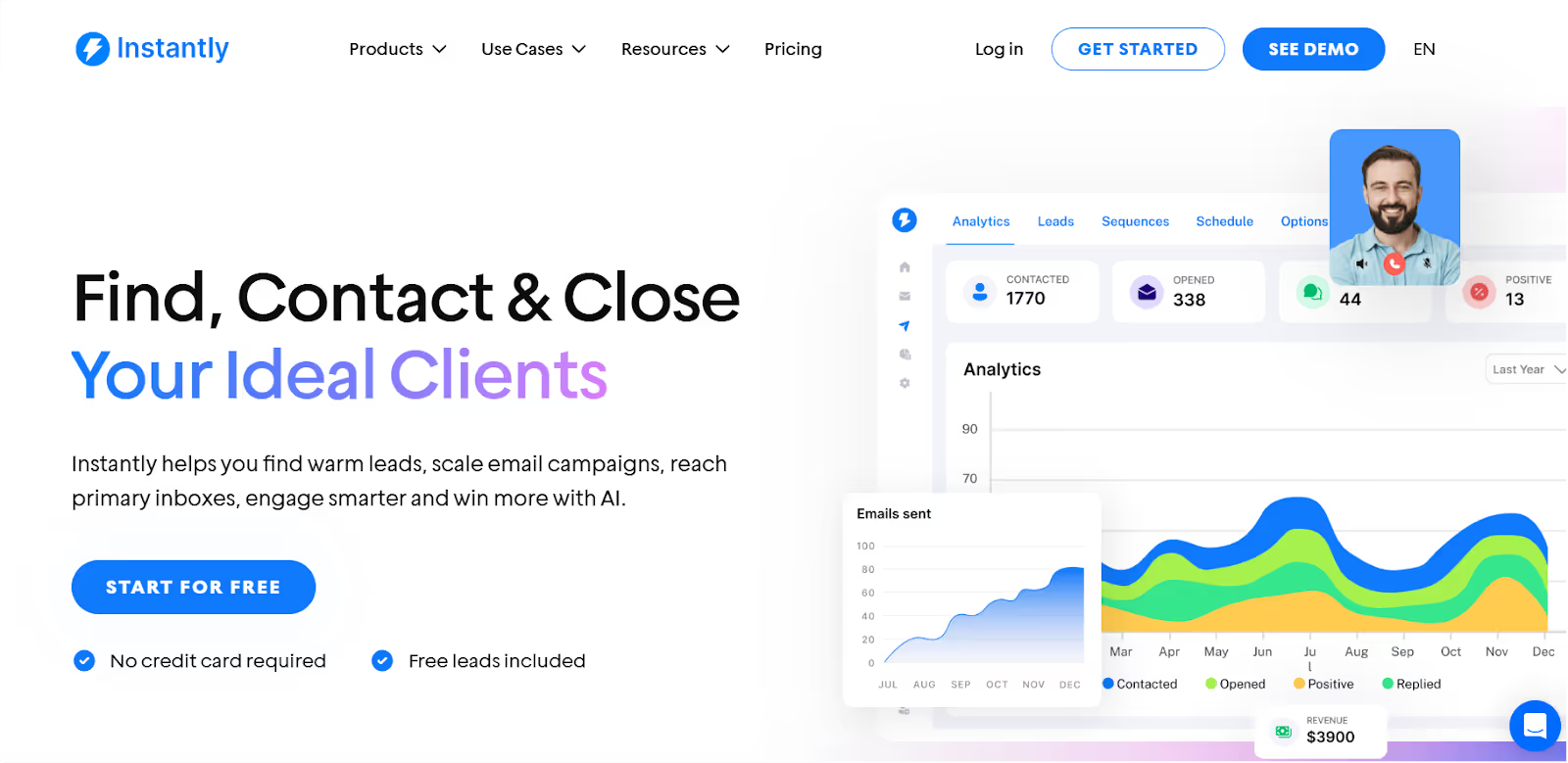
Instantly is one of the most popular Woodpecker alternatives for teams who want fast setup, low-cost sending, unlimited warm-up, and simple scaling.
Instantly.ai is designed for high volume outreach and features a user-friendly interface, making it a cost-effective choice for scaling campaigns. Instead of dealing with Woodpecker’s mailbox limits, weak reporting, or deliverability issues, Instantly gives you:
- unlimited mailbox connections
- built-in warm-up across all accounts
- multi-step email sequences
- a 160M+ lead database
- Unibox for managing replies in one place
It’s designed for teams that want to send more, without dealing with DNS, inbox rotation logic, or deep infrastructure.
Instantly vs Woodpecker
Which one to choose?
- Pick Instantly if you want budget-friendly scaling, unlimited warmup, and an all-in-one reply inbox.
- Stick with Woodpecker if you only run small campaigns and don’t mind weak deliverability or limited reporting.
Pros and Cons of Instantly
Pros
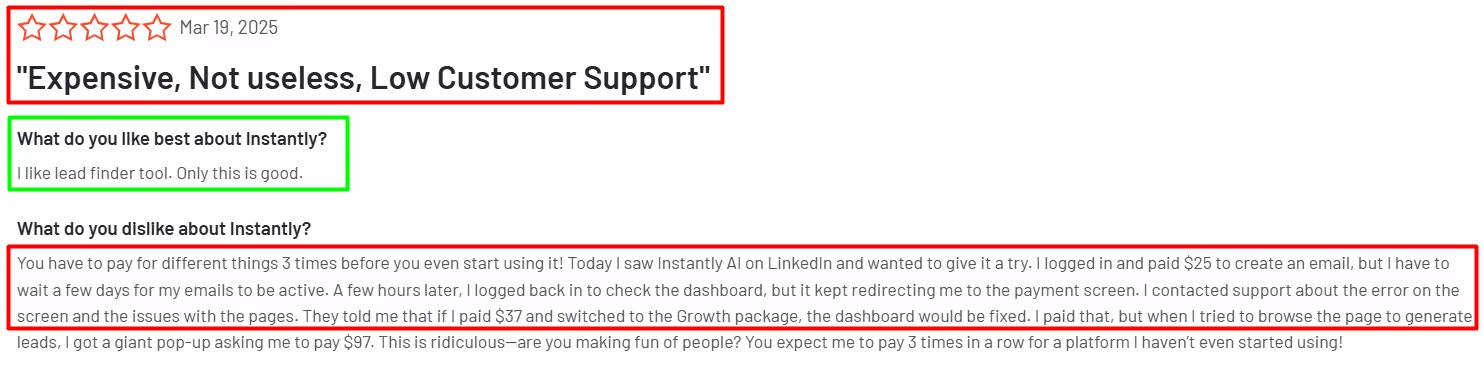
- Unlimited warmup included
- Connect multiple mailboxes for easy scaling
- Unibox = single inbox for all replies
- Built-in B2B lead database
- Simple UI, fast setup, affordable pricing
Cons
- Not an infra-first tool (no deep DNS/IP control)
- Deliverability diagnostics are less detailed than infra-first platforms
- Lead data still requires filtering/validation
- Lacks advanced automation logic (compared to Smartlead or Salesforge)
- Limited features compared to more comprehensive platforms; some extra tools found in other solutions may be missing
Instantly Pricing
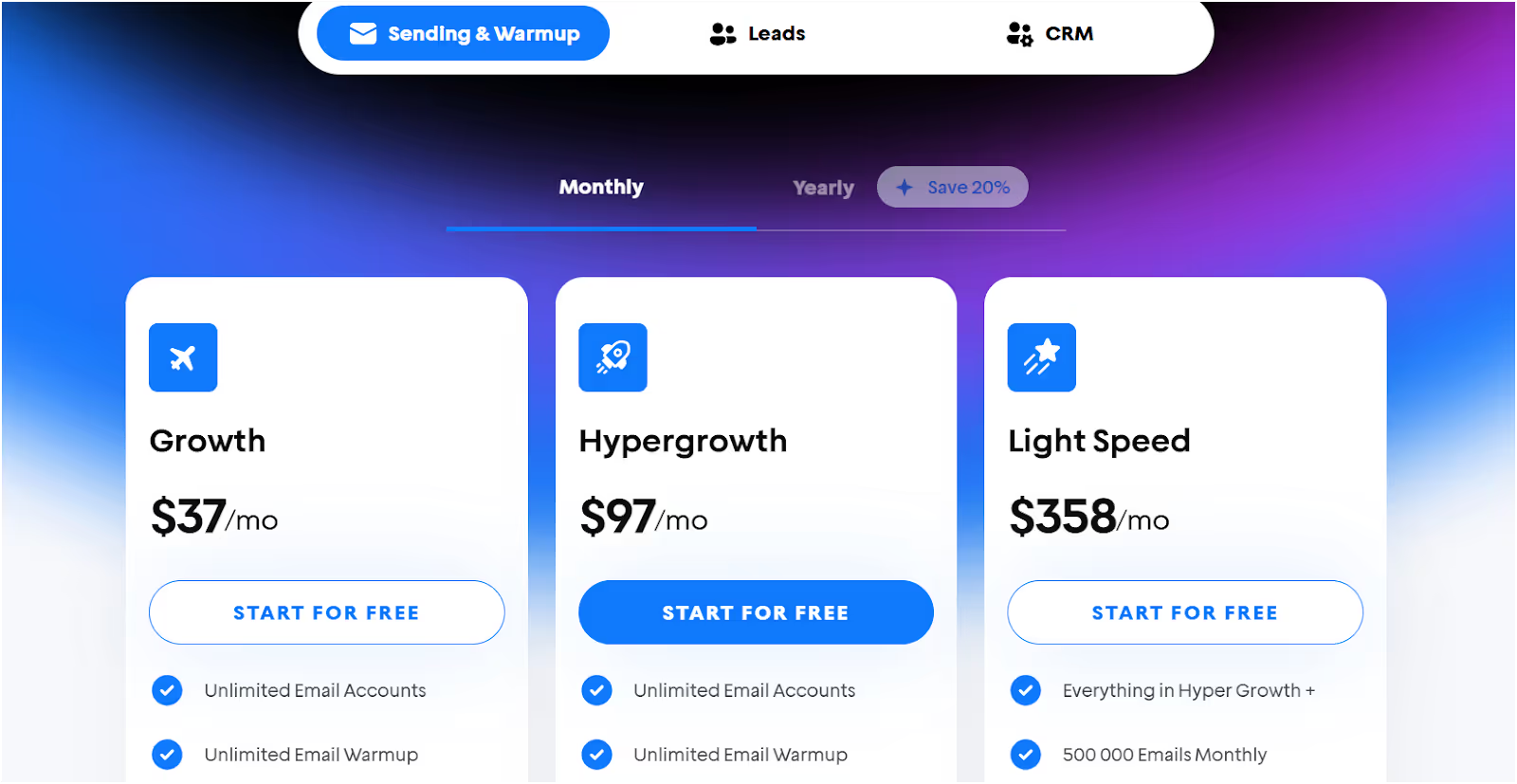
All Instantly plans are billed annually for the lower monthly rate shown in the "Annual (mo)" column. Instantly does not offer a free plan or free trial for new users. The Growth plan serves as the standard plan and entry-level option.
Who is Instantly for?
Instantly is ideal for:
- solo founders and small teams needing low-cost scale
- growing sales teams looking for scalable outreach solutions
- agencies managing multiple clients with flexible account options
- lead generation agencies seeking efficient campaign management
- agencies connecting large numbers of mailboxes
- teams wanting reply management in one place
- senders who want deliverability improvements without learning DNS
- businesses needing simple, predictable sending across multiple inboxes
As a Woodpecker alternative, Instantly is the best budget-friendly choice. You get:
- unlimited warm-up
- easy multi-mailbox rotation
- a built-in lead database
- unified inbox
- simple analytics
If you ever need deeper deliverability, domain protection, or infrastructure control, then a platform like Salesforge is the next step. But if your priority is simple scale at a low cost, Instantly is a solid fit.
#3. Smartlead — Best Woodpecker Alternative for Easy UI + Volume
Smartlead is a cold outreach platform designed to scale safely with ease of use.
It stands out with its AI-powered tools and features, robust automation features, and workflow automation capabilities that streamline sales and marketing processes.
You can connect unlimited mailboxes, warm them up automatically with AI, build personalized sequences, track performance, and integrate with your stack. Smartlead.ai focuses on improving email deliverability through advanced warming features, and uses AI to optimize deliverability and automate email list cleaning.
For teams experimenting with multichannel outreach, it also supports SMS, Twitter, and WhatsApp steps.
Smartlead vs Woodpecker
Note: Smartlead offers similar features to Woodpecker, but stands out as an alternative to Woodpecker by allowing unlimited email accounts for better scalability and team management.
Which one to choose?
- Choose Smartlead if you want unlimited mailboxes, AI warmup, and a clean interface that scales.
- Stick with Woodpecker only if you’re running very small campaigns and don’t need to scale.
Pros and Cons of Smartlead
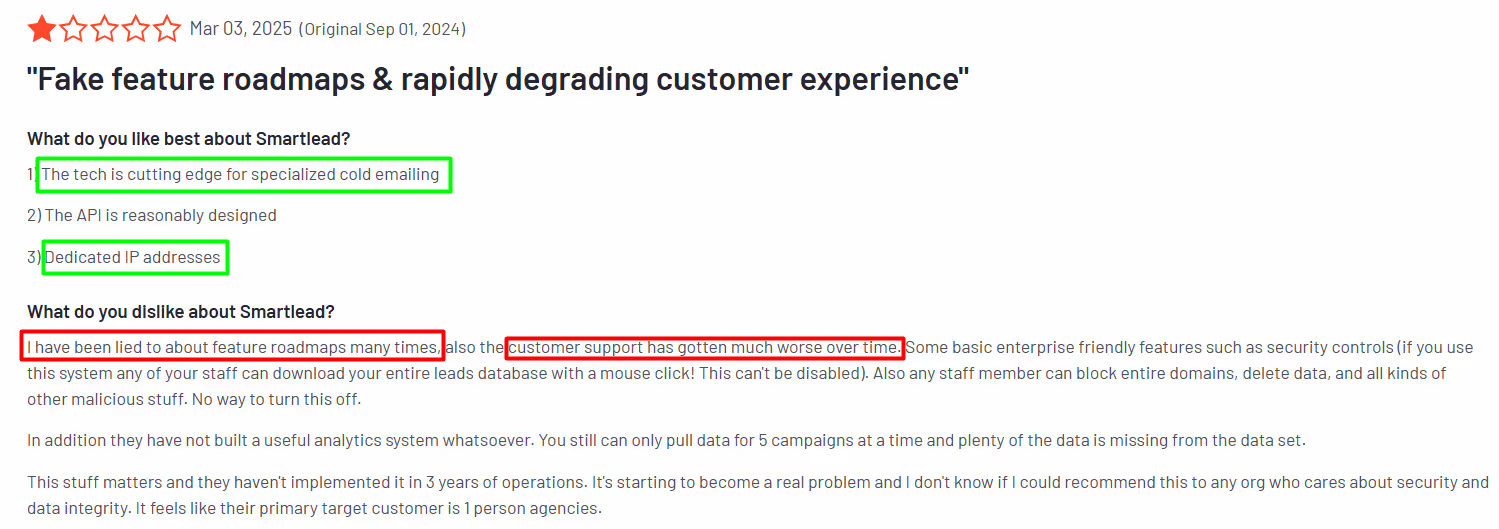
Pros
- Unlimited mailboxes = simple scaling
- AI-powered warmup and safer ramp
- Clean analytics for opens/replies
- Multi-channel steps (Email/SMS/Twitter/WhatsApp)
- API + webhooks (Pro plan) for deeper workflows
- Easy UI, fast onboarding
- Affordable plans for volume
Cons
- Not infra-first (no deep DNS/IP control)
- Advanced ops may want more granular send rules
- List hygiene still your responsibility
- Multi-channel adds complexity if you only want email
- Some plans include extra tools that may not be necessary for all users
- Free and lower-tier plans have limited features compared to higher tiers
- There can be a learning curve for new users due to the range of features
Smartlead Pricing
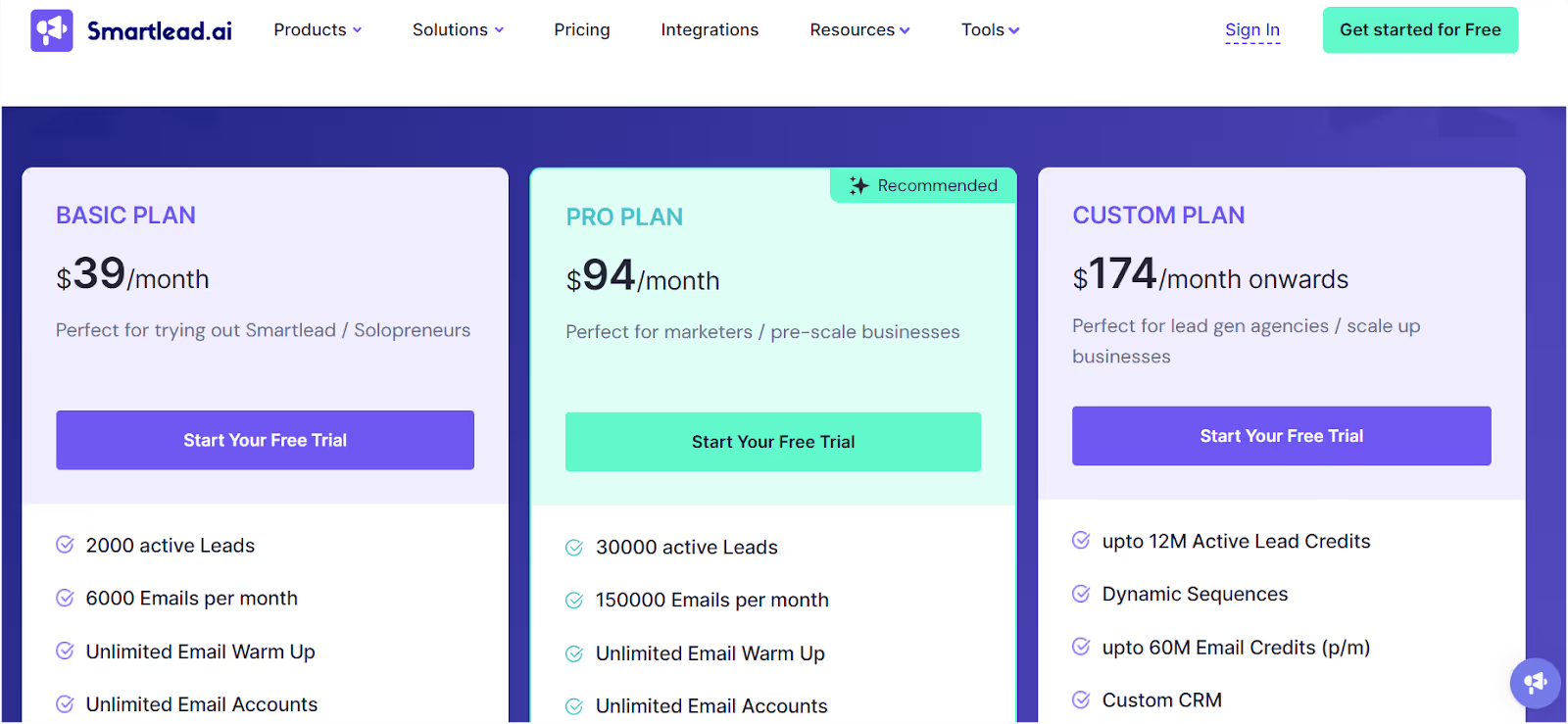
Smartlead.ai does not offer a free plan or free trial for new users. All prices are based on monthly billing, and there is currently no discounted rate for plans billed annually. The Basic plan serves as the standard plan for individuals or small teams starting out.
Who is Smartlead for?
- Agencies and growing teams that need many mailboxes with simple controls.
- Marketers who want better deliverability than Woodpecker without a complex setup.
- Teams exploring multichannel outreach beyond email.
- Growing sales teams, lead generation agencies, and agencies managing multiple clients who require scalable outreach and advanced team management features.
As a Woodpecker alternative, Smartlead is the “easy UI + volume” pick.
You get unlimited mailboxes, AI warmup, clear reporting, and integrations, so you can scale outreach without the technical headaches of Woodpecker.
#4. Mailshake — Best Woodpecker Alternative for Simple Sales Sequences + Team Adoption
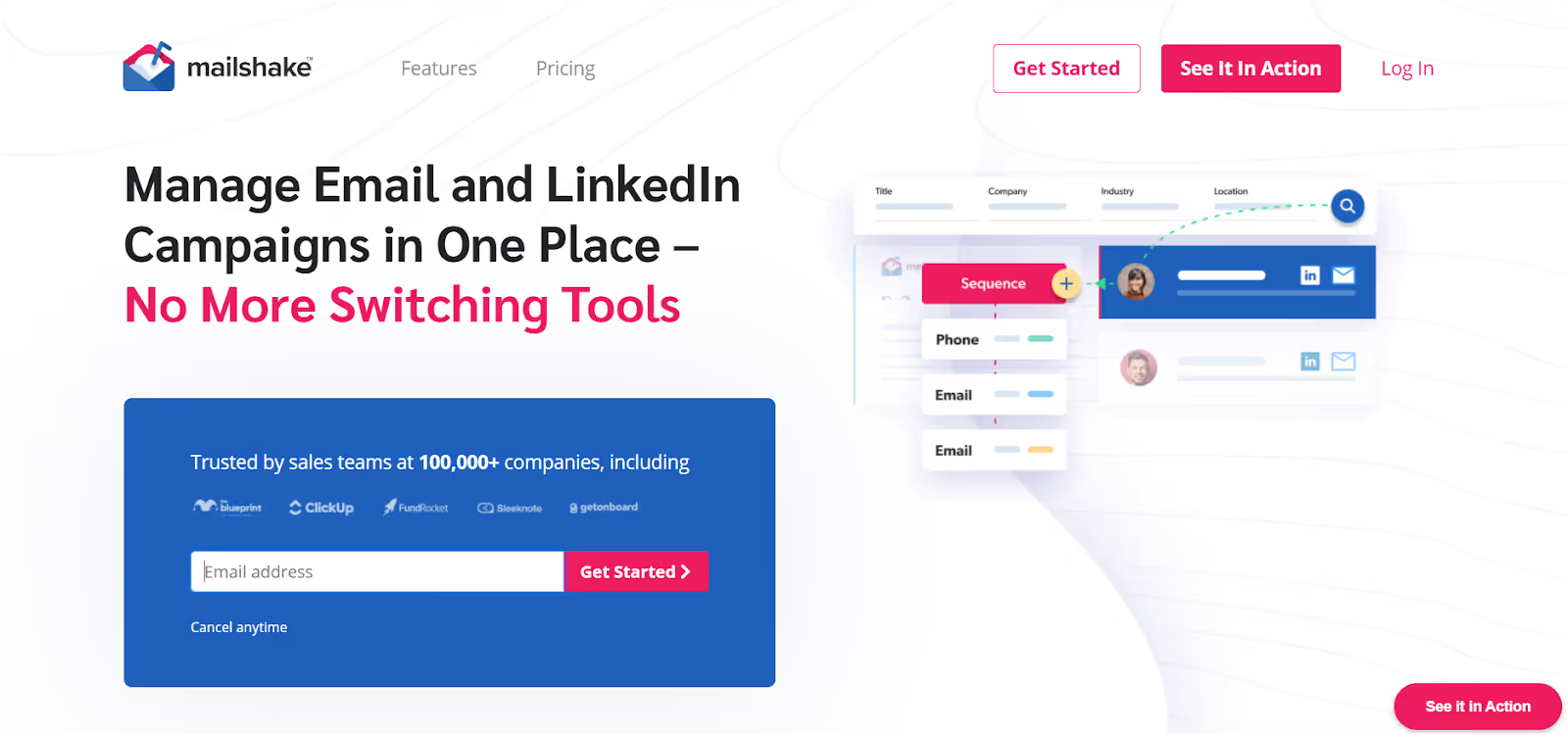
Mailshake is a strong Woodpecker alternative and a great alternative to Woodpecker for running multi channel campaigns. It is a sales engagement platform that enables users to automate cold outreach across multiple channels, including email, phone calls, and LinkedIn.
Mailshake offers powerful email automation tools, allowing you to build multi-step email campaigns with automatic follow-ups, A/B testing, and CRM integrations to track cold email activity. Its multi-channel outreach capabilities include a built-in sales dialer for outbound calls, making it easy to engage prospects through phone calls as part of your campaigns.
Mailshake's pricing starts at $25 per month for its basic plan. It also provides deliverability tools such as an email list cleaner to validate emails and reduce bounces, ensuring your campaigns are effective and reliable.
It’s designed for simplicity and adoption, not deep technical controls.
Mailshake vs Woodpecker
Which one to choose?
- Choose Mailshake if you want straightforward sequences, multi-channel options, and fast adoption by your sales team.
- Stick with Woodpecker if you’re very small, only need email, and don’t care about scaling or team workflows.
Pros and Cons of Mailshake
Pros
- Easy UI; reps onboard quickly
- Email + call + social steps in one place
- Solid sequence automation
- Clear, predictable pricing
- Great fit for small/mid sales teams
Cons
- Not infra-first (no deep deliverability controls)
- Simpler personalization than advanced platforms
- Reporting is good, but not analytics-heavy
- Limited features compared to more comprehensive solutions
- Some plans include extra tools that may not be necessary for all users
- Has a learning curve for new users
Mailshake Pricing
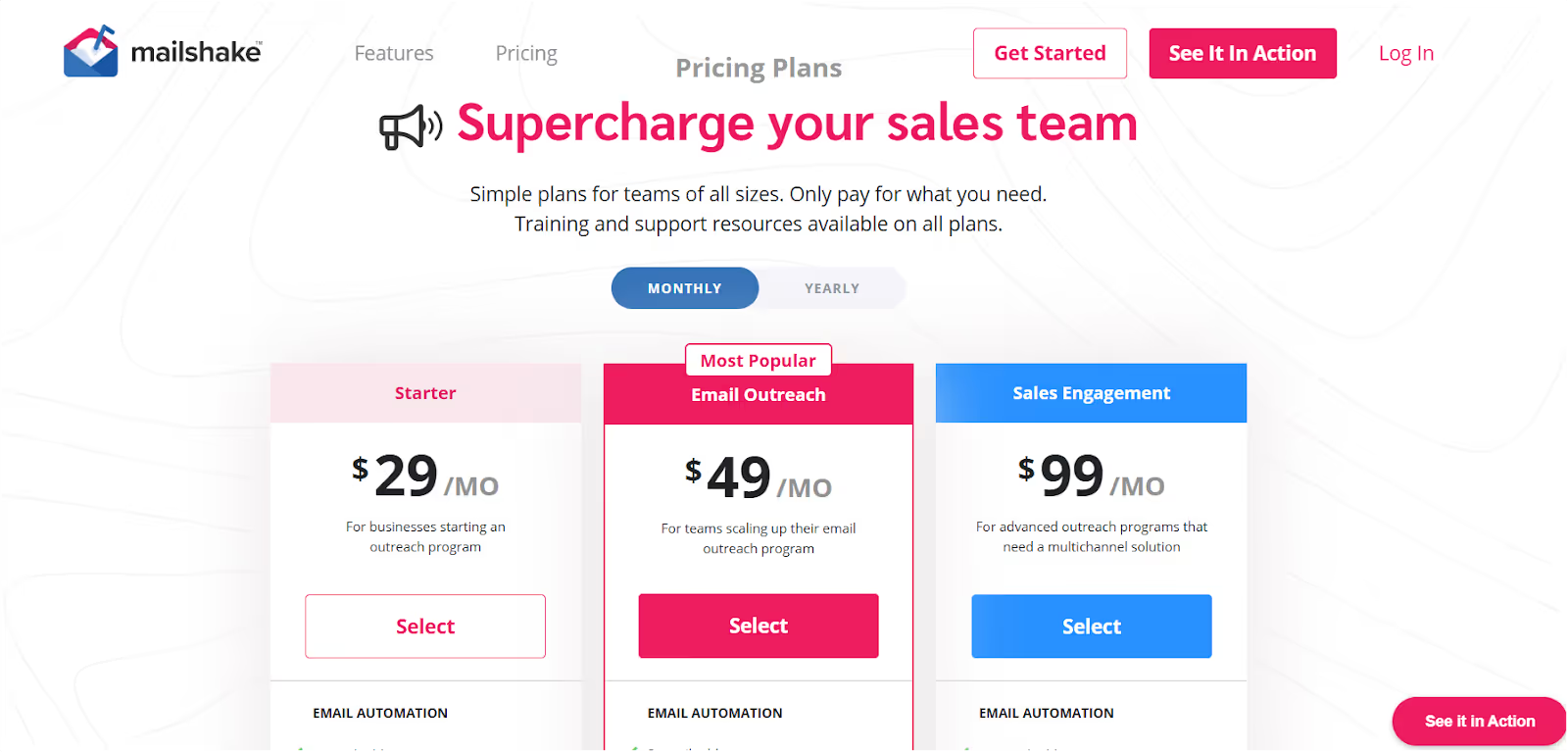
Mailshake does not offer a free plan or free trial. Pricing is billed annually for the best rates, with the Email Outreach plan (their standard plan) starting at $49 per user per month when billed annually.
Who is Mailshake for?
- Founders and SDR leads who need simple outreach now, not weeks of setup.
- Sales teams that want email + call + social in one platform.
- Organizations where ease of use and fast adoption matter more than deep infra features.
- Growing sales teams, lead generation agencies, and agencies managing multiple clients who need scalable outreach and easy management.
As a Woodpecker alternative, Mailshake is the “keep it simple and ship” option.
You get clean sequences, multi-channel outreach, and predictable pricing that your team can understand.
If you need infra-level deliverability control, look elsewhere. But if you want a tool your team can start using today, Mailshake fits.
We Tested Best 3 Mailshake Alternatives for Cold Email Outreach
#5. Lemlist — Best Woodpecker Alternative for Multichannel Personalization
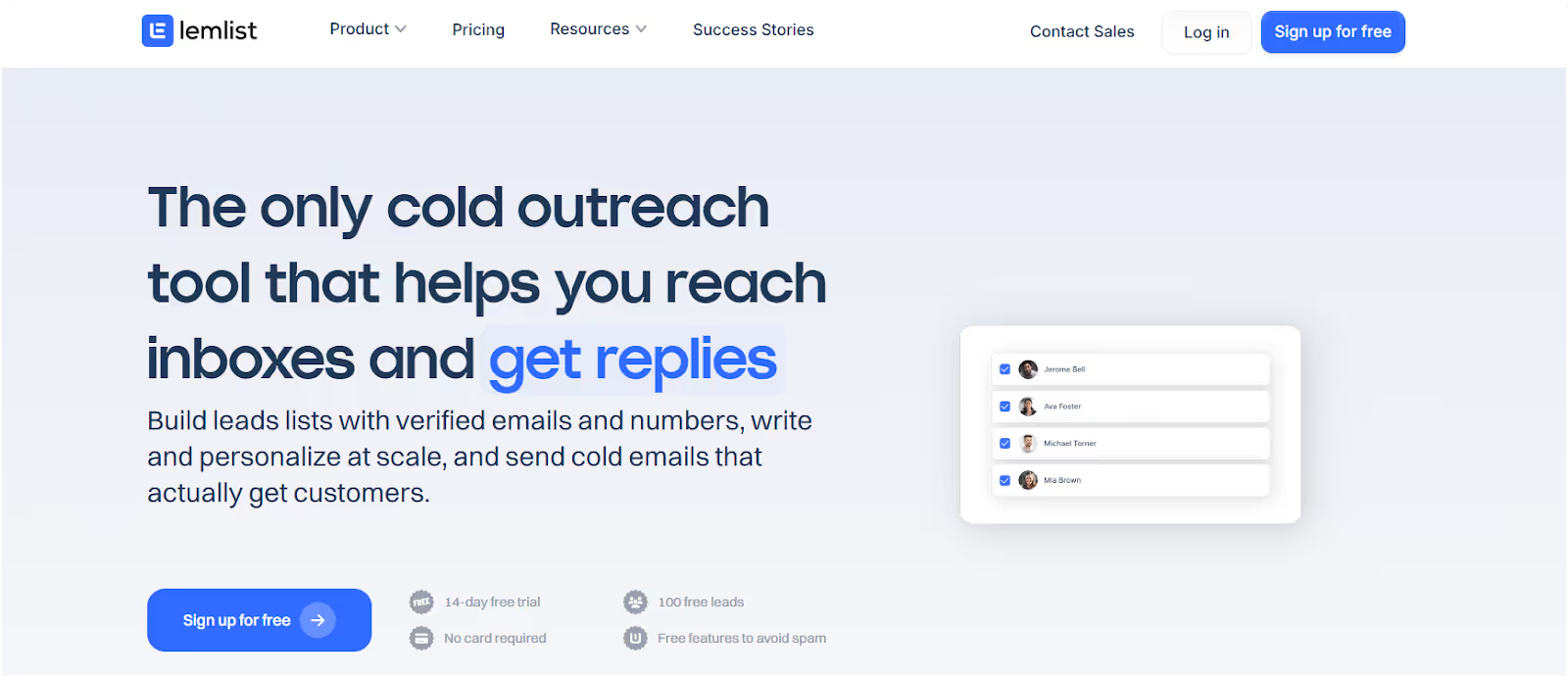
Lemlist is a feature-rich sales outreach platform and a standout Woodpecker alternative, known for its advanced features and standout features for cold emailing.
Lemlist offers advanced personalization capabilities, allowing users to tailor messages with dynamic images, custom fields, and unique content for each recipient.
Lemlist stands out for its multichannel outreach capabilities and multichannel features, enabling users to run multi channel campaigns across email, LinkedIn, and other channels to engage quality leads. The platform frequently introduces new features to enhance personalization, improve deliverability, and keep users ahead with the latest innovations. Lemlist also provides advanced deliverability tools to help keep your messages out of spam folders, ensuring your outreach reaches high-value, verified prospects.
You can organize contacts, filter lists, run sequences with images/videos/custom text, add LinkedIn touches, and use Lemwarm to keep inbox placement strong, all inside one web app.
Lemlist vs Woodpecker
Which one to choose?
- Pick Lemlist if you want higher response rates through visual personalization and LinkedIn steps, plus a warm-up built in.
- Stick with Woodpecker if you’re only doing very small campaigns and don’t need advanced personalization.
Pros and Cons of Lemlist
Pros
- Dynamic personalization (images, videos, landing pages) that feels unique
- Multichannel: email + LinkedIn steps in one sequence
- Automated follow-ups triggered by recipient actions
- Lemwarm feature boosts inbox placement
- Clean, modern UI + contact management
Cons
- Higher learning curve if you try to use everything at once
- Some plans include extra tools that may not be necessary for all users, affecting pricing
- Limited features in lower-tier plans compared to more comprehensive solutions
- More expensive than basic tools for small teams
- Still requires good list hygiene for inboxing
- Multi-channel complexity might be overkill if you only want email
Lemlist Pricing
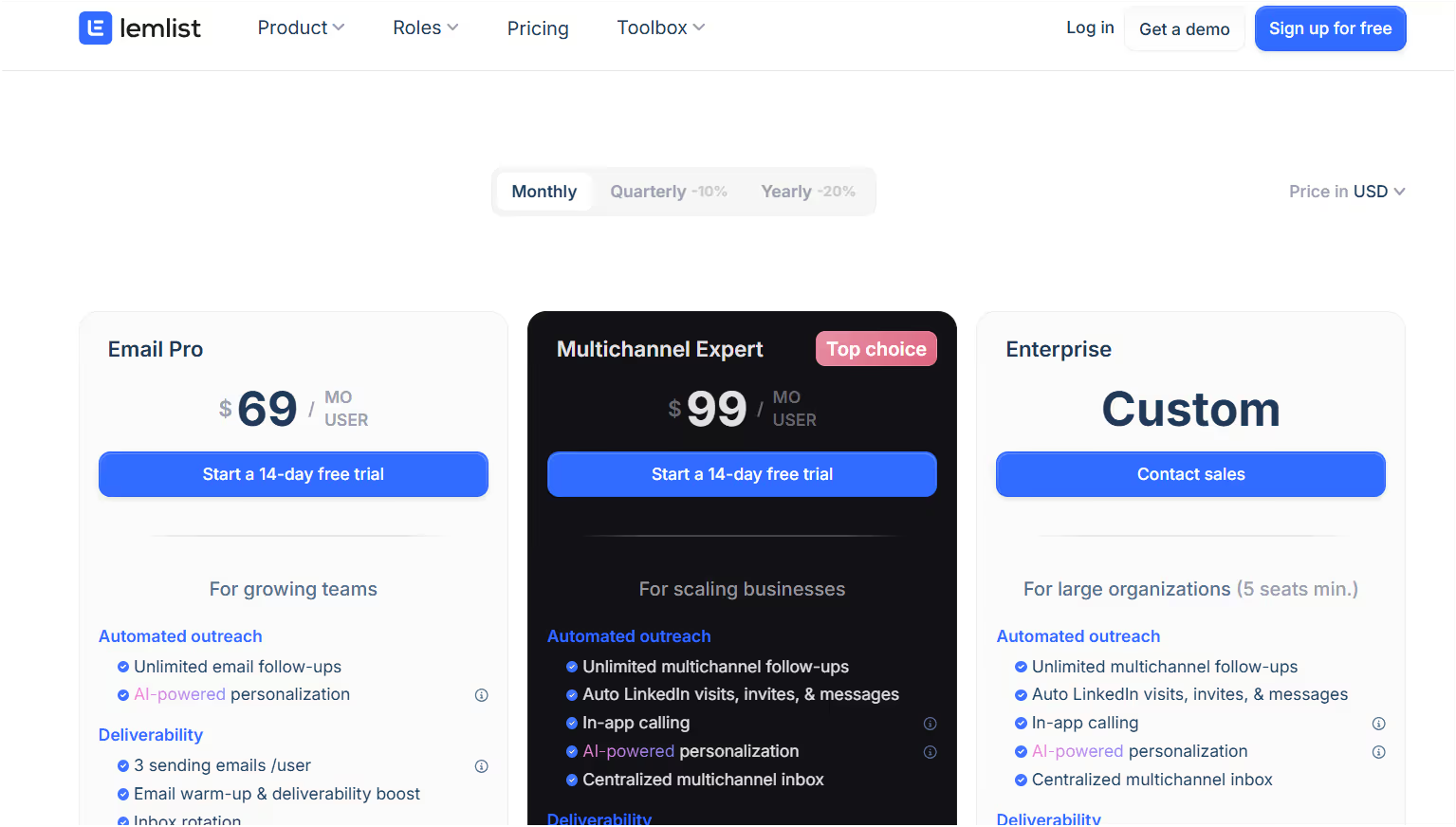
All Lemlist plans are billed annually for the lowest monthly rate shown above. Lemlist does not offer a free plan or free trial.
Who is Lemlist for?
- Teams want more replies with personalized emails that look and feel human.
- Sellers needing email + LinkedIn outreach in one workflow.
- Programs that outgrew Woodpecker and want warm-up (Lemwarm) + better follow-ups.
- Well-suited for growing sales teams, lead generation agencies, and agencies managing multiple clients who need scalable outreach and advanced features.
As a Woodpecker alternative, Lemlist is the personalization + multichannel pick.
You get dynamic images/videos, automated follow-ups, LinkedIn steps, and Lemwarm to help inboxing.
If your Woodpecker emails feel generic or stuck in spam, Lemlist helps you stand out, land more, and earn more replies.
We Tested 3 Lemlist Alternatives For Cold Outreach: Here's Our Findings
#6. QuickMail — Best Woodpecker Alternative for Budget-Friendly Outreach
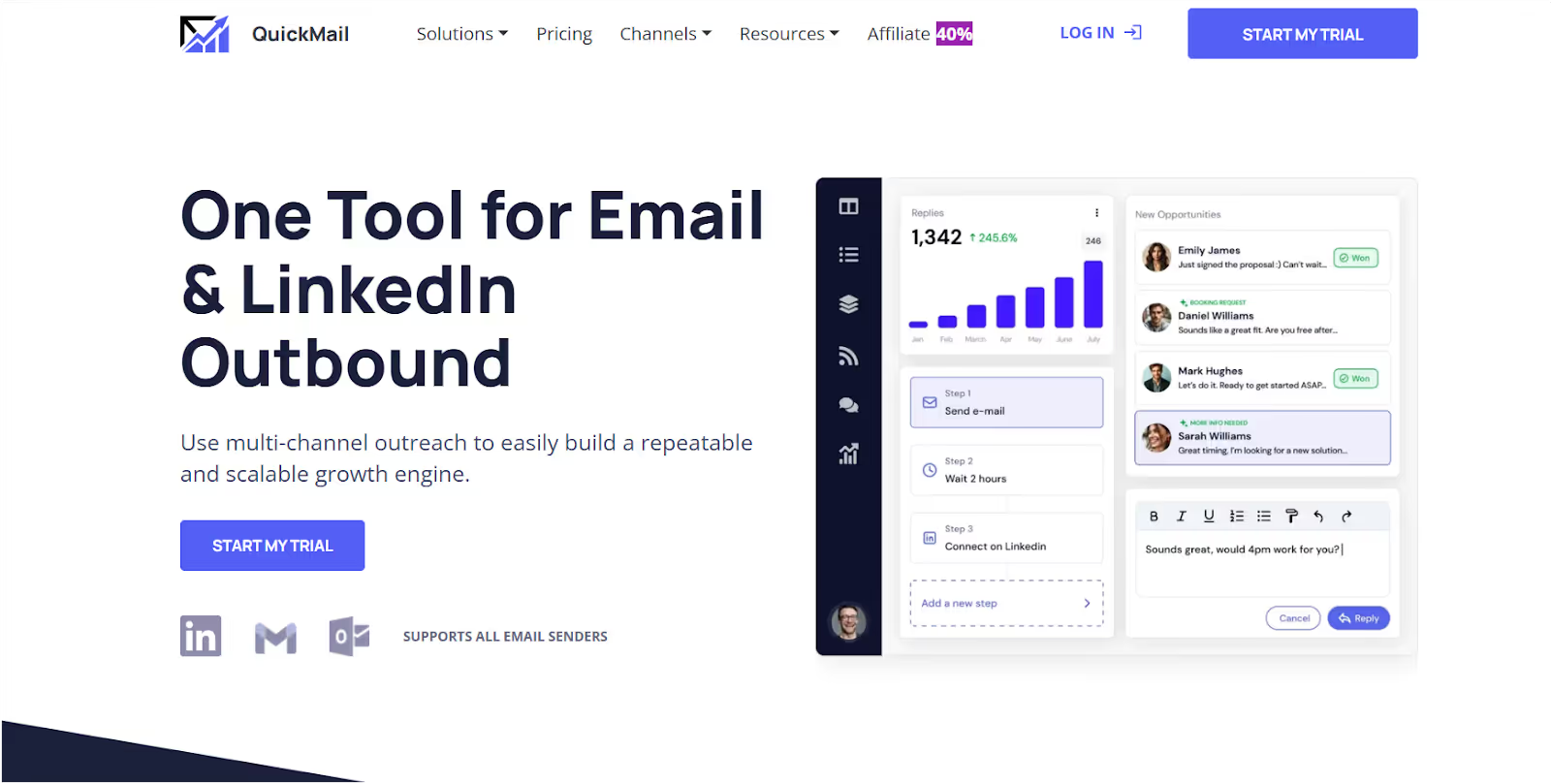
QuickMail is a budget-friendly cold outreach tool designed for bootstrapped teams.
While it focuses on raw sending power at a very low cost, it comes with limited features compared to more comprehensive solutions, and there is a learning curve for new users.
You can connect multiple inboxes, warm them up, rotate sends, and even automate LinkedIn messages. QuickMail also includes extra tools for email deliverability, such as deliverability AI, inbox rotation, blacklist monitoring, and MX bounce analysis, helping maintain great email deliverability. However, it may lack some extra tools found in full practice management suites, which could affect your choice if you need broader automation capabilities.
But the UX is clunky, and frequent bugs mean it’s not as polished as premium platforms.
QuickMail vs Woodpecker
Which one to choose?
- Choose QuickMail if you want the cheapest way to send cold emails at volume and don’t mind bugs or a steeper learning curve.
- Stick with Woodpecker if you prefer a slightly smoother interface, even if it means weaker support and deliverability.
Pros and Cons of QuickMail

Pros
- Starts at just $9/month — most affordable option
- Unlimited inboxes on the Growth plan
- Built-in warm-up with MailFlow
- LinkedIn automation included
- Highly rated support team
- No seat-based pricing (great for agencies/teams)
Cons
- Frequent bugs + spam complaints from users
- Clunky UX (confusing campaign terms)
- No lead database or enrichment
- Limited reporting/analytics
- Limited features compared to more comprehensive tools
- Includes extra tools in some plans that may not be necessary for all users
- Not beginner-friendly — needs technical comfort and has a learning curve
- Breaks under high-scale operations
QuickMail Pricing
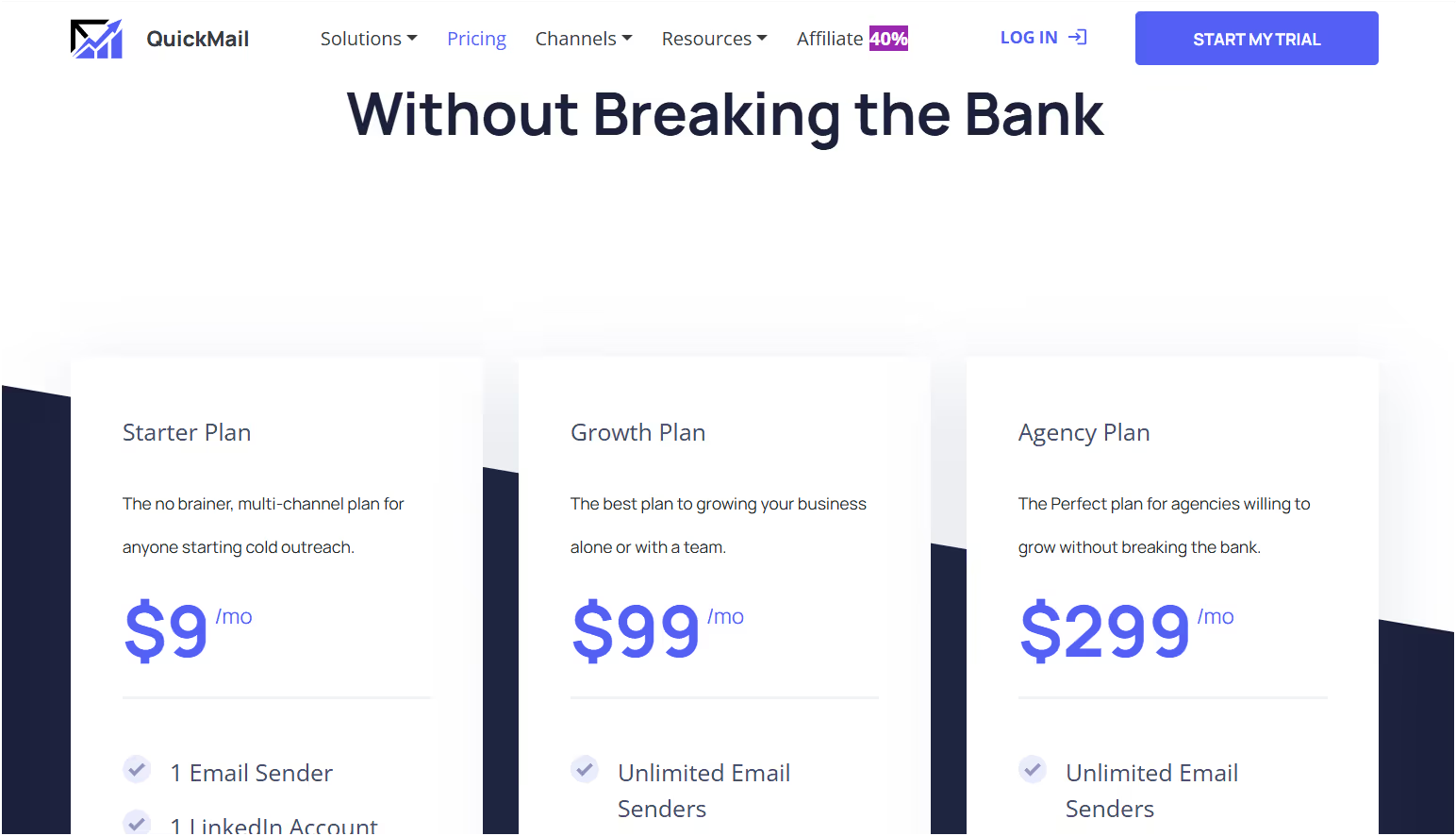
Note: QuickMail does not offer a free plan or free trial. All plans are paid, and pricing is billed monthly, not billed annually. There is no specific 'standard plan'—the entry-level option is the Starter plan at $9 per user per month.
Who is QuickMail for?
- Indie hackers and bootstrapped teams who want raw sending power at the lowest possible price.
- Growing sales teams, agencies managing multiple clients, and lead generation agencies looking for scalable outreach solutions.
- Agencies that want unlimited inboxes without per-seat costs.
- Technical users who can live with bugs and clunky UX in exchange for budget savings.
As a Woodpecker alternative, QuickMail is the “budget pick.”
You get rock-bottom pricing, warm-up included, unlimited inboxes, and LinkedIn support.
If you can handle the bugs and clunky UX, it’s a lean option that gets the job done.
#7. Reply.io — Best Woodpecker Alternative for Multichannel Outreach + AI

Reply.io is a comprehensive sales engagement platform and a strong alternative to Woodpecker, designed for large organizations and growing sales teams that require advanced multichannel outreach capabilities.
It combines cold email, social outreach, phone calls, sales dialer, and AI-powered features—including AI-powered tools for lead filtering, finding, and automation—into one system. Reply.io supports automation features, workflow automation, and pipeline management to streamline sales processes and optimize high volume outreach.
The platform offers conversation intelligence, detailed analytics, multichannel features, and supports multi channel campaigns to maximize engagement and campaign effectiveness. Reply.io is especially suitable for high volume outreach and teams needing robust deliverability solutions.
Reply.io uniquely combines email outreach with lead generation features, including an email finder and analytics, and provides a complete deliverability solution to not only find leads but also convert them. This makes it ideal for sales teams, lead gen agencies, and recruiters who need more than just email-only tools like Woodpecker.
Reply.io vs Woodpecker
Which one to choose?
- Pick Reply.io if you want multi-channel sequences, AI-driven workflows, and built-in lead data.
- Stick with Woodpecker if you’re running very small campaigns and don’t need social or phone touchpoints.
Pros and Cons of Reply.io

Pros
- Multichannel outreach (email, LinkedIn, SMS, WhatsApp, calls)
- AI-powered Jason AI saves time with replies & scheduling
- Built-in database of 140M+ leads
- Cloud calling + video personalization options
- Strong CRM integrations
- Highly rated customer support
Cons
- Email deliverability can still be inconsistent at times
- Contact management/sync not always seamless (esp. HubSpot)
- Pricing can creep up with upgrades, especially if you don't need all the extra tools included in higher plans
- Some users find the platform has a learning curve
- Free or lower-tier plans may have limited features compared to full versions
- Occasional bugs/glitches reported by users
Reply.io Pricing

Reply.io does not offer a free plan or free trial for new users. All pricing is based on an annual payment schedule (billed annually) for the best rates, with the Standard plan starting at $49 per month when billed annually.
Who is Reply.io for?
- Sales teams that need multichannel outreach to increase touchpoints.
- Growing sales teams looking for scalable outreach solutions.
- Agencies managing multiple clients who need client dashboards and unlimited user seats.
- Lead generation agencies that require advanced campaign management and prospect targeting.
- Recruiters and lead-gen shops that benefit from built-in data and AI automation.
- Teams that have outgrown single-channel email tools like Woodpecker.
As a Woodpecker alternative, Reply.io is the “multichannel + AI” choice.
You get email, LinkedIn, SMS, WhatsApp, and calls in one place, plus Jason AI to handle writing and replies.
If Woodpecker feels too limited or manual, Reply.io helps you scale outreach smarter, across more channels.
Final Thoughts: Which Woodpecker Alternative Should You Choose?
Woodpecker is fine if you’re just dipping your toes into cold email, sending a few hundred emails a month, no need for multichannel, and no urgency around deliverability.
But once you try to scale, add more mailboxes, or manage multiple clients, its limits show fast: deliverability problems, extra costs for basic add-ons, slow support, and lack of real visibility.
The good news is, you’ve got options for a strong Woodpecker alternative. Here’s how to decide:
- ✅ Pick Salesforge if inbox placement is your #1 KPI and you need an all-in-one deliverability + outreach + AI stack. Perfect for agencies, founders, and sales teams scaling across multiple domains. It’s a strong Woodpecker alternative for those who want to maximize deliverability and automation.
- ✅ Go with Instantly if you want budget-friendly volume and a simple reply inbox to manage at scale. It’s a great alternative to Woodpecker for high-volume senders.
- ✅ Choose Smartlead if you want an easy UI with unlimited mailboxes and light multi-channel options. Another strong alternative to Woodpecker for teams needing flexibility.
- ✅ Mailshake works if you need simple sales workflows your team can adopt quickly (email + calls + social). A reliable alternative to Woodpecker for straightforward sales processes.
- ✅ Lemlist is best if you want visual personalization and higher reply rates through multichannel + creative campaigns. A great alternative for those focused on engagement.
- ✅ QuickMail is for indie hackers or lean teams who want the cheapest raw sending power and don’t mind clunky UX. It’s a cost-effective alternative to Woodpecker.
- ✅ Reply.io is the go-to if you need full multichannel outreach + AI (Jason AI) and a built-in lead database. A strong Woodpecker alternative for advanced outreach needs.
If you’re serious about cold outreach in 2025, don’t stick with a tool that caps your growth or kills your deliverability.
Each of these tools is a strong Woodpecker alternative and solves a different pain point. If you want the safest bet to land more emails in inboxes and scale without burning domains, the clear winner is Salesforge—a great alternative to Woodpecker for agencies, founders, and sales teams.
👉 Ready to stop worrying about deliverability and start scaling outreach the right way? Try Salesforge today
.png)
.png)

.png)